
Tynovo — Brand Typography & Typeface Studio
A free, in-browser studio for building a brand's typography system and generating an original display typeface, with no account required.
Context
Brand typography usually lives in scattered places: a font picker here, a type-scale calculator there, a spec document somewhere else — and designing an original typeface is a separate specialist toolchain entirely. Tynovo set out to put the typography system and a custom display font in one studio that runs free in the browser.
The Challenge
The product had to cover two very different modes — deciding which licensed fonts a brand uses and at what sizes, and procedurally generating a real typeface — inside one project, while being truthful about an early engine that supports Latin ASCII only and a catalog that is deliberately small.
Research
Mapped the end-to-end job of a brand typographer — direction, fonts, roles, scale, preview, checks, export — and used it to define a single numbered workflow, then sized the typeface generator to what it could genuinely deliver rather than to the ideal.
Insights
The key findings that shaped the direction.
Typography decisions only make sense in context
A font choice is hard to judge in a picker. Previewing the system on a website, an editorial page, a product screen, a poster and a printed page, in light and dark, makes the trade-offs visible.
Licensing is part of the design decision
Designers pick fonts they then can't legally ship. Keeping a licence note and source for every font in the catalog turns licensing from an afterthought into part of the choice.
Early software earns trust by naming its limits
Marking each feature as Available now or Early version, and stating the Latin-only, ASCII-only limits up front, sets expectations better than a polished claim that later breaks.
Design Strategy
How decisions were made.
One project, two modes
Made the Brand Typography System and the Custom Typeface Creator edit the same saved project, so a generated typeface can be assigned to a display, heading, body or interface role and flow straight into previews and exports.
A workflow that stays in view
Put a numbered step bar on every screen — brand direction, fonts, roles, scale, typeface, preview, checks, export — each with its own state, so progress and the next step are always visible.
Show real output, early and often
Opened the landing page with a live generator: change family, stroke thickness and width and every glyph redraws, so the core idea is understood before any sign-up would have been.
Explain every refusal with numbers
When a generated typeface lacks the characters or readability for a role, the tool says why with the underlying numbers rather than silently allowing or blocking the assignment.
Keep the work portable and the entry free
Required no account, stored projects in the browser, and protected export, import and recovery from any future plan restriction so a project is never held hostage.
Solution
A free, account-free studio that takes a brand from direction to specification, and optionally to its own typeface, in one project — with real TrueType, OpenType, WOFF and WOFF2 files at the end.
A look at the work.
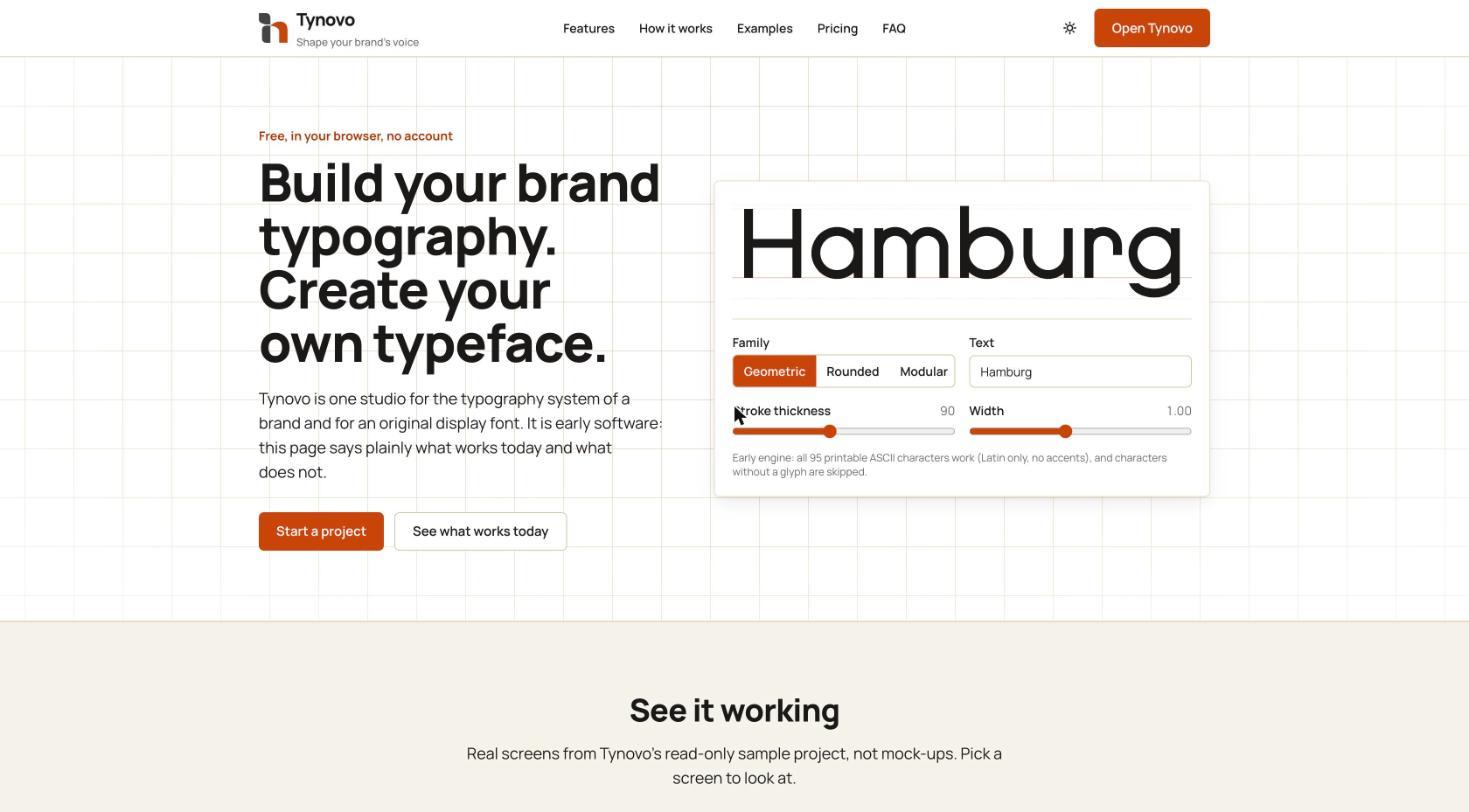
The live product at gettynovo.vercel.app — a working generator right in the hero.
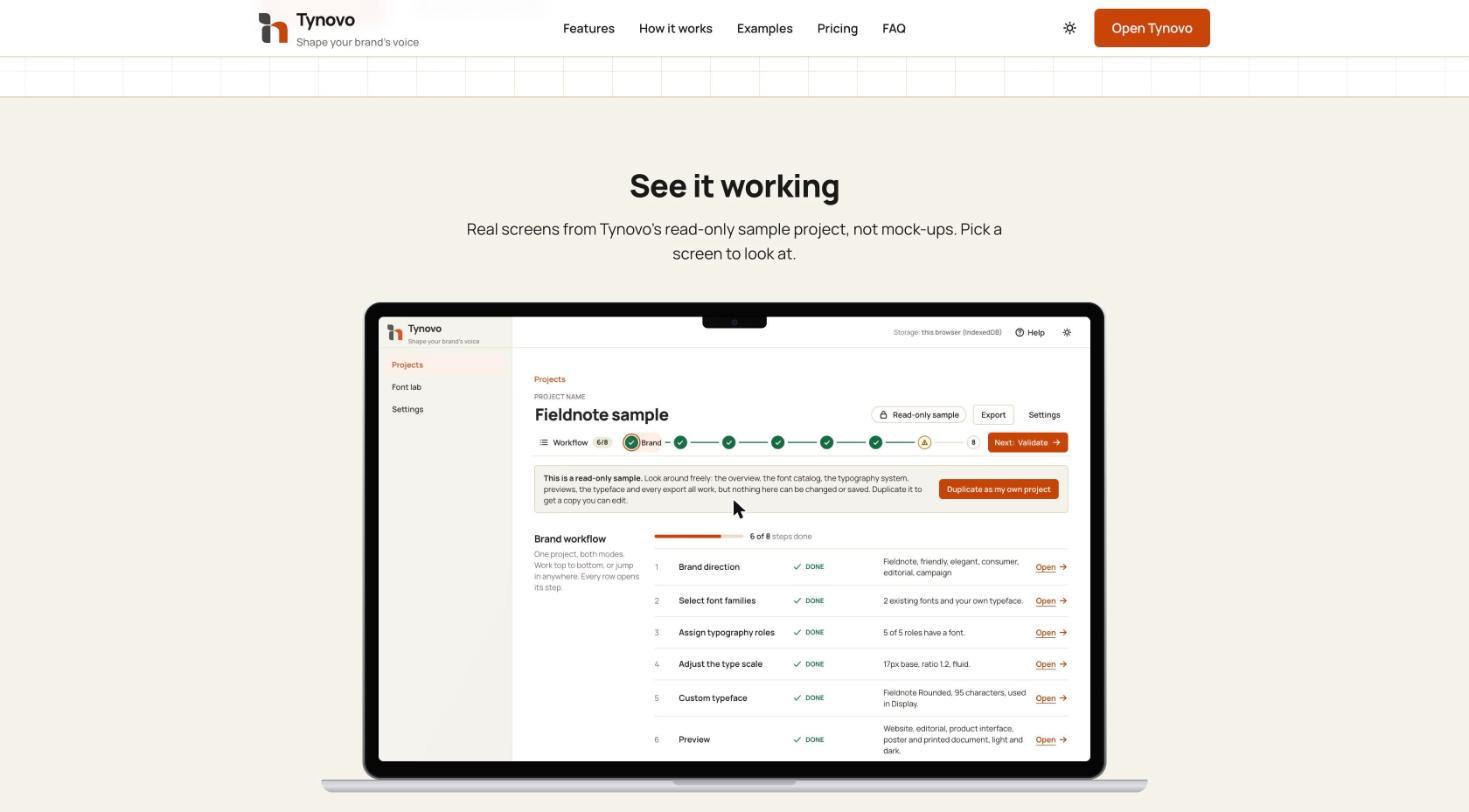
The read-only sample project: one saved project with an eight-step brand workflow.
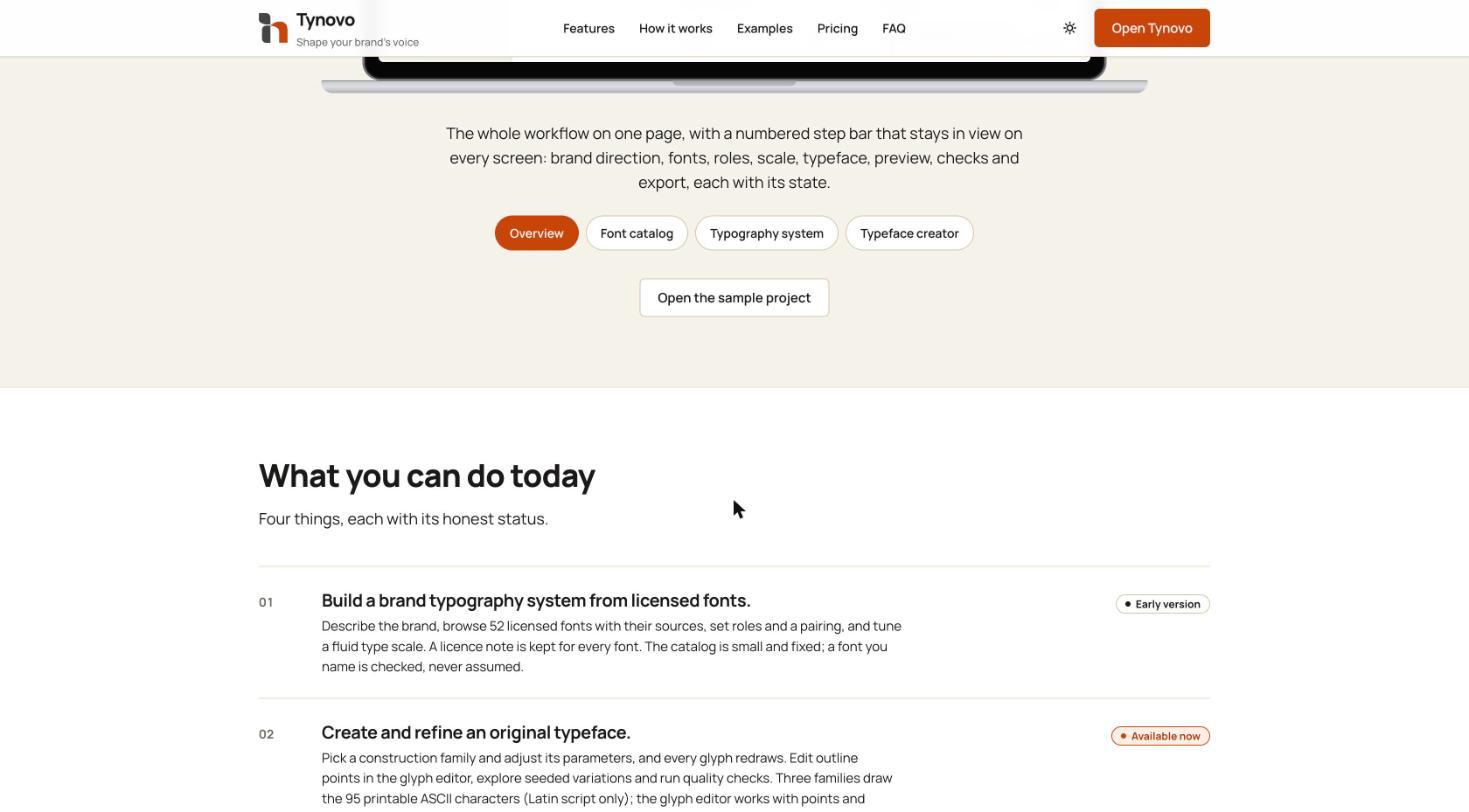
Every capability carries an honest status — Available now or Early version.
Design System Thinking
This project wasn't designed as a one-off — here's how it connects back to the system.
Components
A reusable status badge — Available now or Early version — applied to every feature and workflow step, plus a shared step-bar component present on every screen.
Tokens
A fluid type scale defined by a base size and ratio, exported as design tokens and CSS so the studio's output drops directly into a codebase.
Patterns
A read-only sample project that can be duplicated into an editable copy, so newcomers learn by exploring a complete example rather than a blank canvas.
Governance
A licence note kept for every font and a manifest exported with the project, so what a brand is allowed to ship is documented alongside what it chose.
Impact
Tynovo shipped as a free, in-browser studio that carries a brand from typographic direction to exportable specification and font files, with its limits stated plainly.
Reflection
Labelling features as early was uncomfortable for a product page, but it forced sharper scoping — every claim on the page had to match what the tool could actually do. Next steps are broader character coverage beyond Latin ASCII and a larger font catalog.