
PromptTrim — AI Prompt Optimiser
A tool that turns a rambling, conversational prompt into a short, direct instruction — keeping every requirement and exclusion, cutting only the fluff.
Context
Prompts written the way people actually talk — polite framing, backstory, restated instructions — cost tokens and dilute the actual instruction inside them. PromptTrim set out to strip a prompt down to what an AI model actually needs, without quietly dropping a requirement or a constraint in the process.
The Challenge
The hard part wasn't shortening text — it was shortening it safely. The tool needed to reliably tell the difference between conversational filler that's safe to cut and a specific requirement, constraint or exclusion that must survive the edit untouched.
Research
Wrote test prompts with intentionally buried constraints — 'do NOT include X', specific tech requirements, tone notes — and used how often trimming preserved them to define what 'safe to cut' actually means for this tool.
Insights
The key findings that shaped the direction.
Politeness is safe to cut; constraints never are
Framing like 'could you please' and 'thanks so much' carries no instruction — but a buried 'do NOT include billing features' is load-bearing, and trimming has to tell the two apart every time.
Shorter isn't the goal — clearer is
A shorter prompt that loses a requirement is worse than the original — the tool is judged on whether the optimised version still gets the same result, not on character count alone.
People trust output they can immediately reuse
Returning plain text with no formatting or commentary meant the result could be copied straight into any model or tool, which mattered more than presenting it inside the product itself.
Design Strategy
How decisions were made.
Frame the product as trim, not rewrite
Positioned the tool explicitly around cutting fluff rather than rewriting intent, so the interaction model stays predictable — the output should still sound like an instruction the user meant to give.
Give people a way in without a real prompt to hand
Shipped three example prompts — dev brief, meeting notes, marketing brief — so the value is obvious on the first visit, before anyone pastes their own text.
Show the result as plain text, ready to reuse
Returned the optimised prompt as copyable plain text with no extra formatting, since the entire point is pasting it straight into another AI tool.
Say plainly where the prompt goes
Stated directly that a submitted prompt is sent to Groq to generate the optimised version and is never logged or stored, instead of leaving that as an assumption.
Build solo, with AI as the engineering partner
Designed and built end-to-end using Claude Code as a development partner — from the trimming prompt design to the interface — without a dedicated engineering team, while keeping every UX decision in my hands.
Solution
A single-purpose tool that takes a messy, conversational prompt and returns a short, direct instruction — preserving every requirement, constraint and exclusion while cutting the surrounding fluff.
A look at the work.
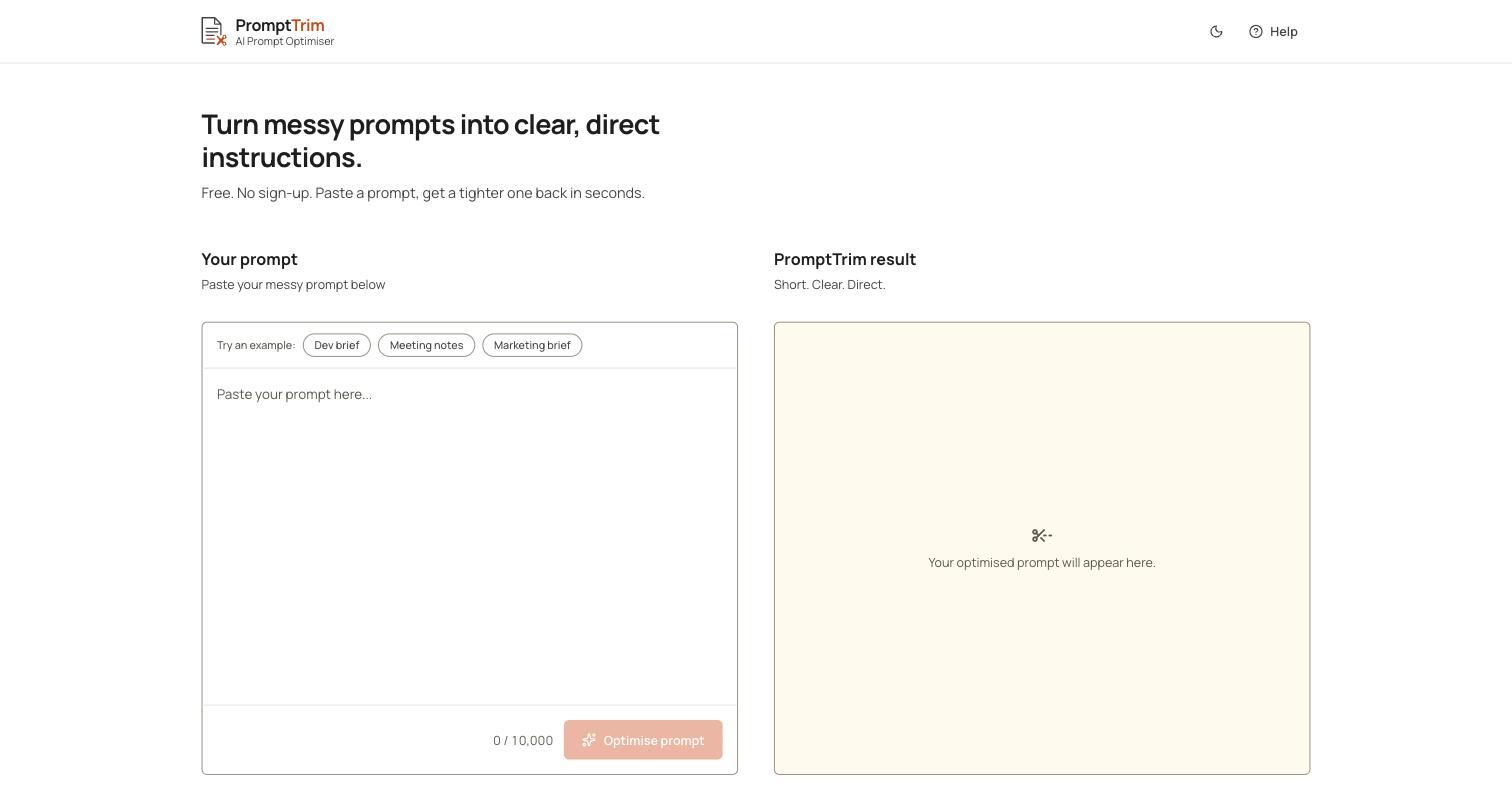
The live product at getprompttrim.vercel.app.
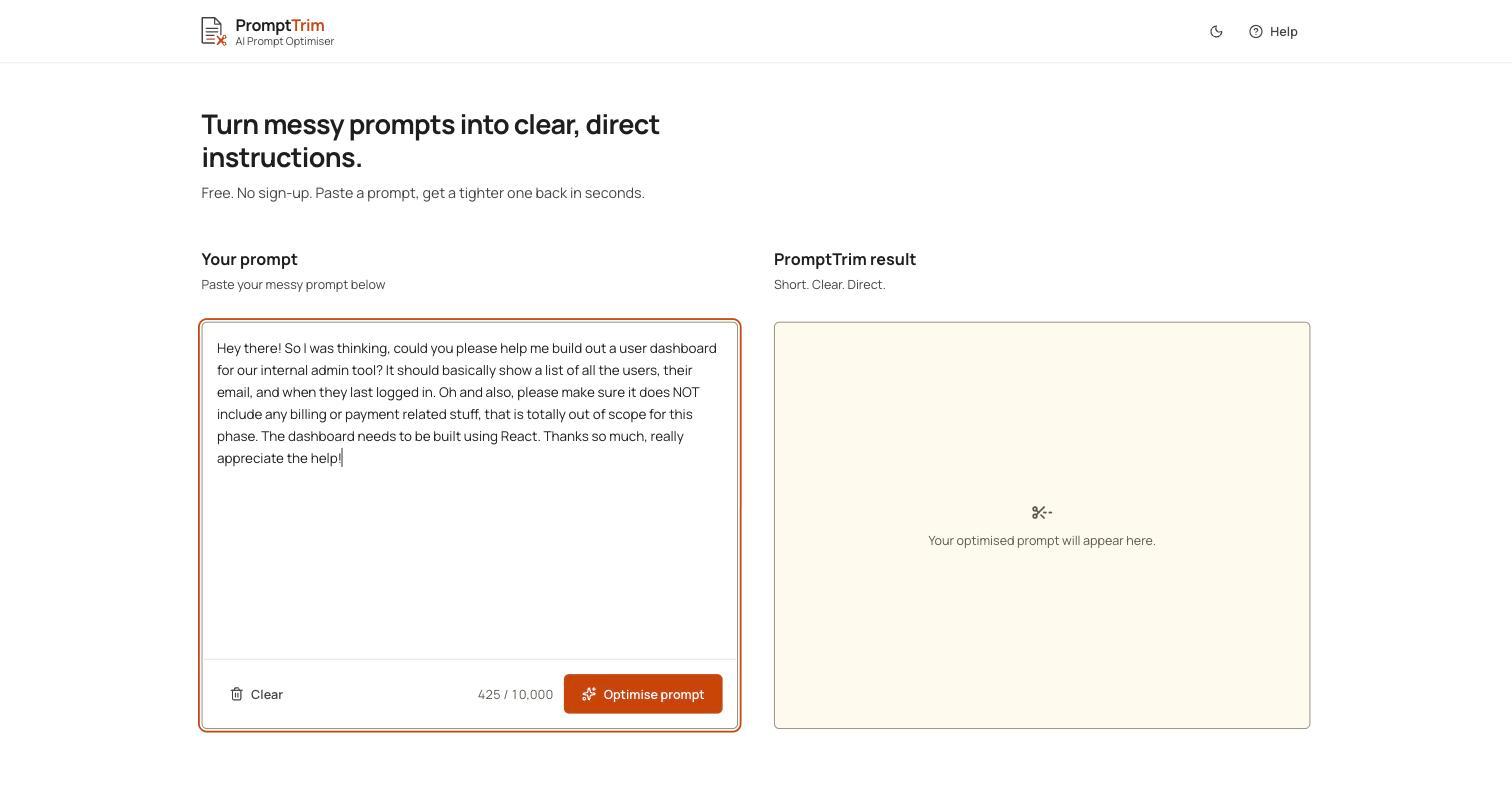
A real example prompt loaded in — conversational, buried requirements and all.
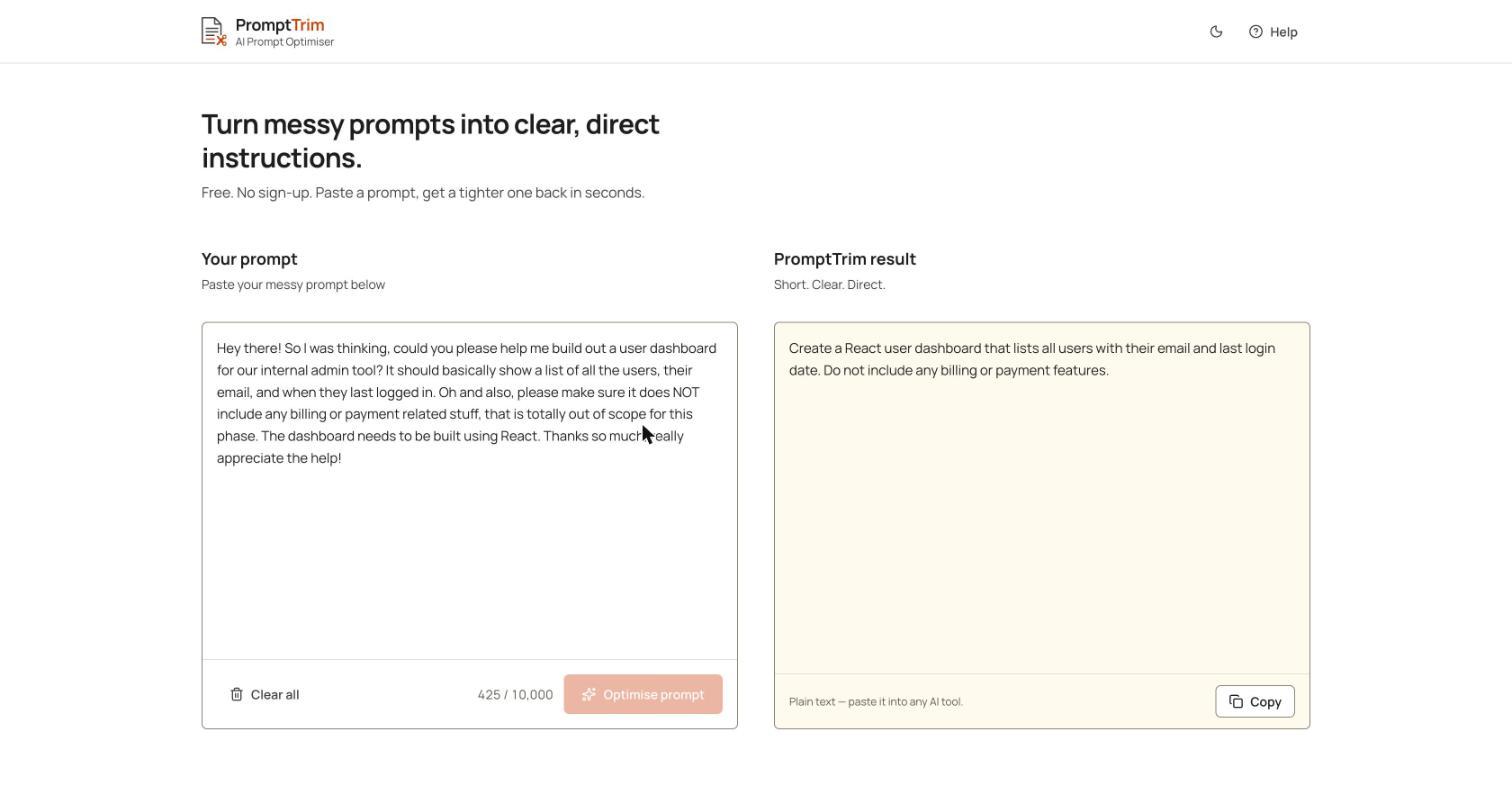
The trimmed result — every requirement and exclusion preserved, the fluff gone.
Design System Thinking
This project wasn't designed as a one-off — here's how it connects back to the system.
Components
A shared two-pane input/result layout reused across the empty state, populated input, and optimised result views.
Tokens
A consistent accent-scissors motif tying the trimming metaphor across the icon, empty state and loading indicator.
Patterns
An example-first onboarding pattern — try a real sample before pasting your own — reused from the same convention as other free, no-signup tools in this set.
Governance
Prompts are sent to Groq for processing and explicitly never logged or stored, stated directly in the product rather than buried in a privacy page.
Impact
PromptTrim shipped as a small, single-purpose tool that fixes a specific, recurring annoyance — a prompt that says the right thing in too many words — without needing an account or an API key to try it.
Reflection
It would have been easy to make this feel like a generic AI text shortener. Testing it specifically against prompts with buried constraints — and treating any dropped constraint as a failure, not an edge case — is what kept the tool honest about what it's actually for.