
BriefWise — UX Brief Refiner
A tool that turns a messy stakeholder request into a structured UX brief — problem, objectives, assumptions, potential requirements and the questions still unanswered.
Context
Design work often starts from a stakeholder request that is a few loose sentences — a problem, a wish, a deadline — with the real brief still missing. BriefWise set out to close that gap by structuring the request before work begins, so the open questions surface on day one instead of mid-project.
The Challenge
The hard part was honesty. A tool that fills in a brief can easily present guesses as facts, so the output had to separate what the stakeholder actually said from what is inferred, and make the gaps as visible as the answers.
Research
Tested the refiner with short requests like 'we need a new website because the old one is outdated' and checked whether the output kept stated facts apart from inference — and whether the missing information showed up as questions rather than invented detail.
Insights
The key findings that shaped the direction.
A vague request hides more than it states
Most requests name a problem and a solution but skip users, constraints and success measures — the gaps matter as much as the content, so they need to be shown, not smoothed over.
Inference is useful only when it's labelled
Potential requirements and assumptions help a designer move faster, but only if they are clearly marked as possibilities to confirm rather than agreed scope.
A brief is a working document, not a verdict
The generated brief is a first draft. Designers need to edit every section and carry it into their own process, so the output had to be editable and portable.
Design Strategy
How decisions were made.
Separate what was said from what was inferred
Opened the brief with the stakeholder's words verbatim, then labelled every section — 'Based on what was stated', 'Possibilities to review, not confirmed requirements', 'Unconfirmed, validate before relying on' — so the evidence behind each line is clear.
Make the gaps the headline
Added a Brief health summary that lists what is clear and what is missing — primary users, constraints, success measures — and highlighted the questions section so open items can't be overlooked.
Keep the designer in control
Made every section editable and framed the page as 'Your working brief', so the AI draft is a starting point the designer owns rather than a finished answer.
Make the result easy to take with you
Added one-click Copy brief, Markdown export and Print, with a sticky section index, so the brief can move straight into a doc, ticket or kickoff.
Say plainly where the text goes
Stated on the About page that there are no accounts, nothing is stored on a server, drafts stay in the browser's local storage, and text is sent to an AI service only when you refine. The AI call runs server-side only, so no keys ever reach the browser.
Build solo, with AI as the engineering partner
Designed and built end-to-end using Claude Code as a development partner — from the system prompt and output schema to the interface — while keeping every UX and product decision in my hands.
Solution
A focused refinement tool: paste a stakeholder request, and BriefWise returns a structured, editable UX brief that separates stated facts from inference and lists exactly what still needs to be answered.
A look at the work.
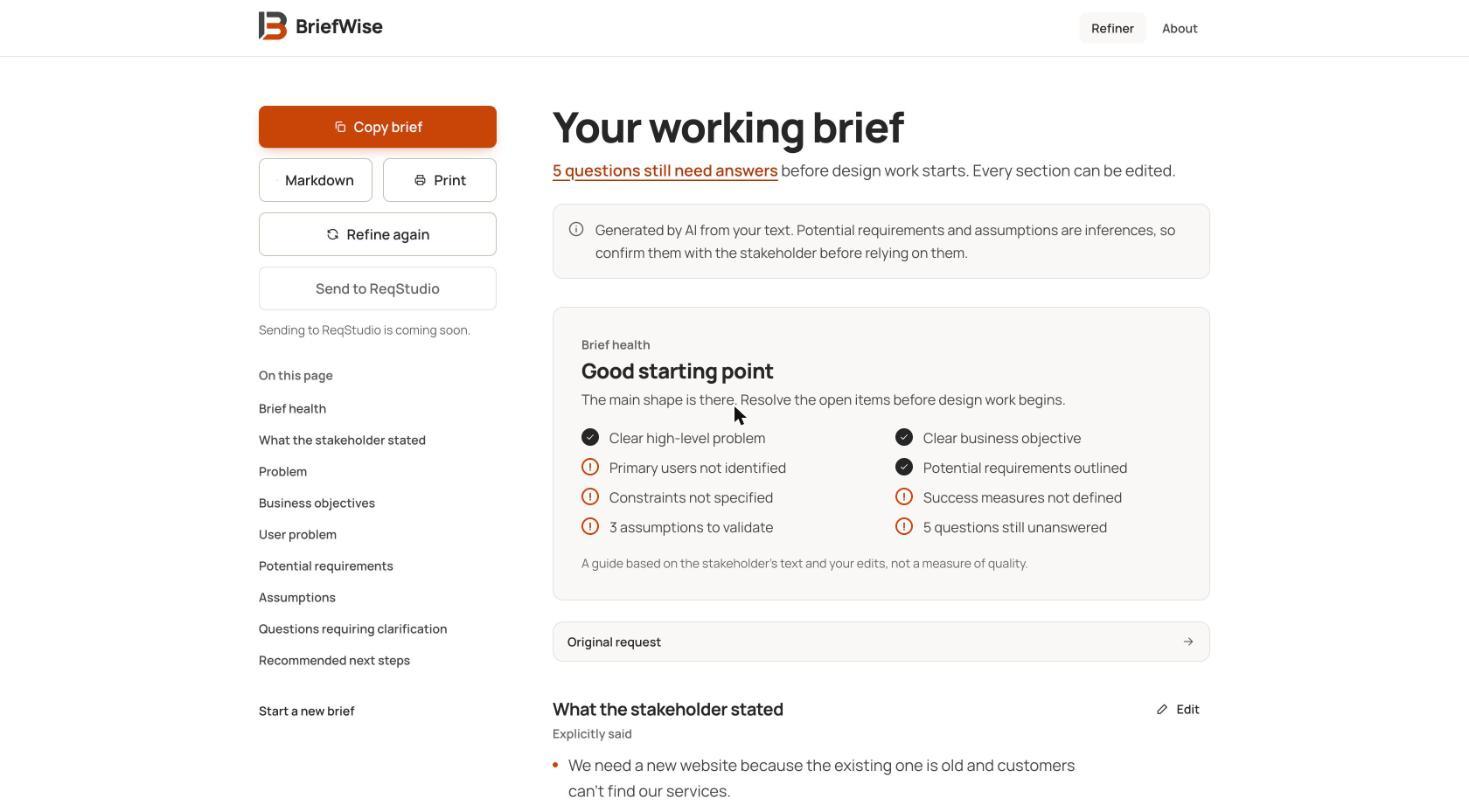
The live product at getbriefwise.vercel.app — Brief health shows what is clear and what is missing.
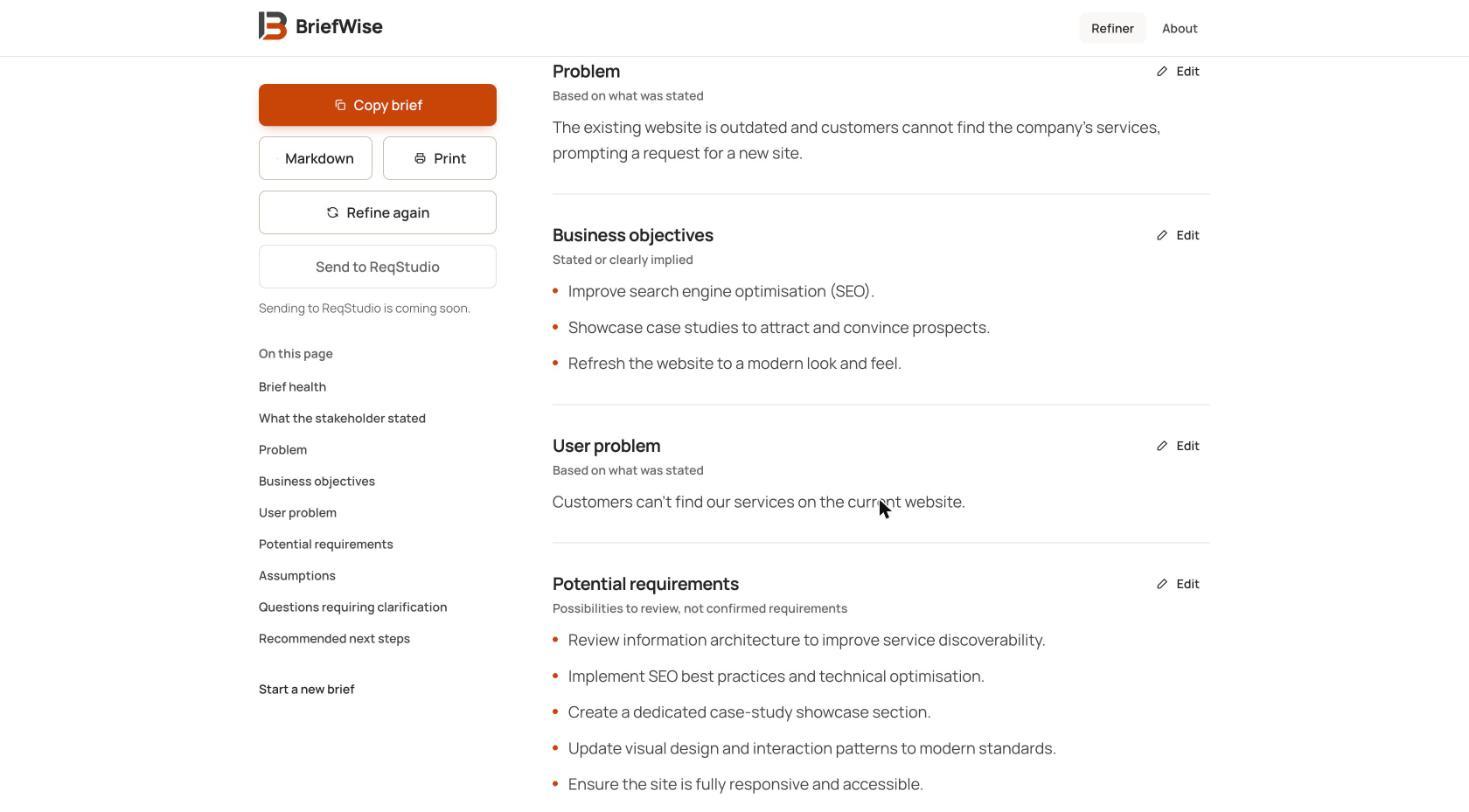
Structured sections, each labelled by how much of it was actually stated.
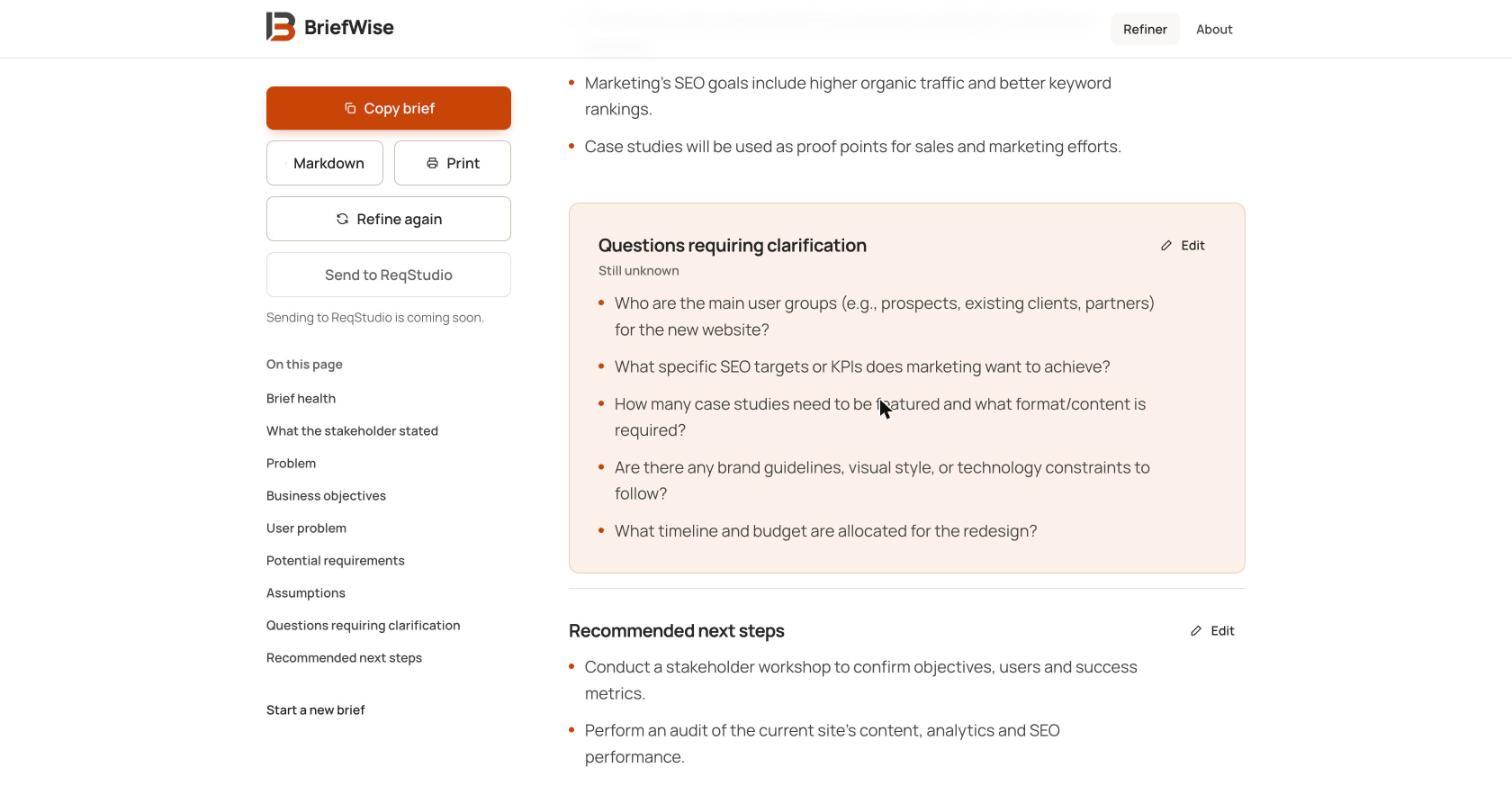
Open questions are highlighted so the gaps are impossible to miss.
Design System Thinking
This project wasn't designed as a one-off — here's how it connects back to the system.
Components
A shared section pattern — heading, evidence label, editable content — reused across every part of the brief.
Tokens
A restrained warm-orange accent reserved for primary actions and open questions, so attention goes to what needs a decision.
Patterns
An evidence-label convention — stated, inferred, unconfirmed — applied consistently so confidence is visible at a glance.
Governance
The system prompt enforces a know / assume / still-need-to-know split and forbids inventing facts, statistics or constraints. Privacy is stated in the product: nothing stored on a server, text sent to an AI service only when refining, and a confirmation step before a saved brief is discarded.
Impact
BriefWise shipped as a small, single-purpose tool that turns an unclear request into a structured starting point for design — one that is upfront about what is still unknown.
Reflection
The temptation was to make the brief look complete. Treating the gaps and open questions as the most important part of the output — and labelling every inference — is what keeps the tool useful instead of misleading.