
Solvr — AI-Guided Product Design Workspace
A guided workspace that takes a product problem through a full design process — Discover, Define, Ideate, Solution, Validate, Iterate — with AI drafting, critiquing and scoring readiness at every stage.
Context
Most AI design tools compress a product problem straight into a finished-looking output — a generated spec, a set of screens — with no visible working. Solvr set out to do the opposite: guide a problem through the same stages a structured design process would use, keeping evidence, assumptions and gaps visible at every step instead of hiding them behind a single generate button.
The Challenge
The product needed to feel like a design partner that pushes back, not a generator that produces a confident-sounding answer to whatever's typed in — while still being usable by someone who doesn't already know a formal UX methodology, and without ever letting the process feel like a rigid form to fill in.
Research
Reviewed how existing AI design tools collapse a problem straight into an output, and found almost none separated evidence from assumption — which became the central design bet for Solvr instead of a secondary feature.
Insights
The key findings that shaped the direction.
A generate button isn't a design partner
Tools that produce a finished-looking spec from one prompt skip the part where a real design process would surface what's still unknown — Solvr needed to slow that down, not speed it up further.
Evidence and assumption have to stay visibly separate
The moment an assumption gets treated like a fact, every decision built on top of it inherits the risk — so every stage explicitly tags what's evidence, what's assumption, and what's still a gap.
Readiness has to be scored per stage, not once at the end
A single overall completeness score hides exactly where a project is weak — scoring each of the seven stages independently is what makes 'are we ready to move on' an answerable question.
Design Strategy
How decisions were made.
Structure the whole process around seven named stages
Built Project Setup, Discover, Define, Ideate, Solution, Validate and Iterate as distinct, sequential stages, each with its own inputs and its own definition of done.
Separate evidence from assumption at every stage
Gave every stage explicit Strengths, Gaps and Critical Assumptions panels, so a project's confidence level is always visible next to its content, not implied by how polished the output looks.
Score readiness per stage, not the project as a whole
Attached a readiness percentage and a plain-language 'what's needed next' note to each stage individually, so moving forward is a decision backed by a specific gap list, not a vibe.
Make the AI challenge the framing, not just answer it
Directed the AI to flag gaps and question assumptions at every stage rather than accept the first framing of a problem, so the tool behaves like a partner pushing back, not an assistant agreeing along.
Build solo, with AI as the engineering partner
Designed and built end-to-end using Claude Code as a development partner — from the stage-readiness engine to the guidance panel — without a dedicated engineering team, while keeping every methodology and UX decision in my hands.
Solution
A guided design workspace that takes a product problem through seven structured stages — Project Setup, Discover, Define, Ideate, Solution, Validate, Iterate — with AI drafting, critiquing and scoring readiness at each one.
A look at the work.
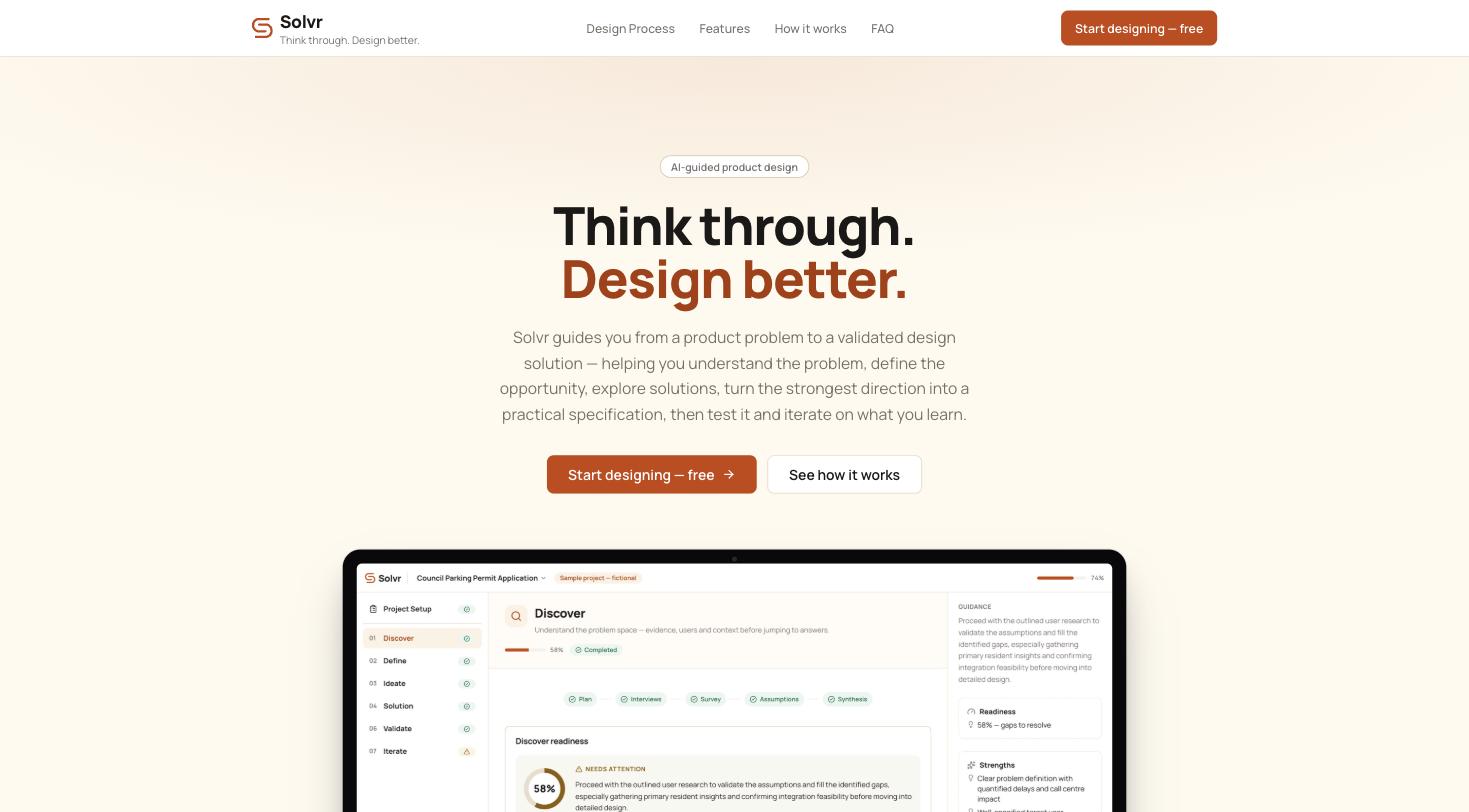
The live product at getsolvr.vercel.app.
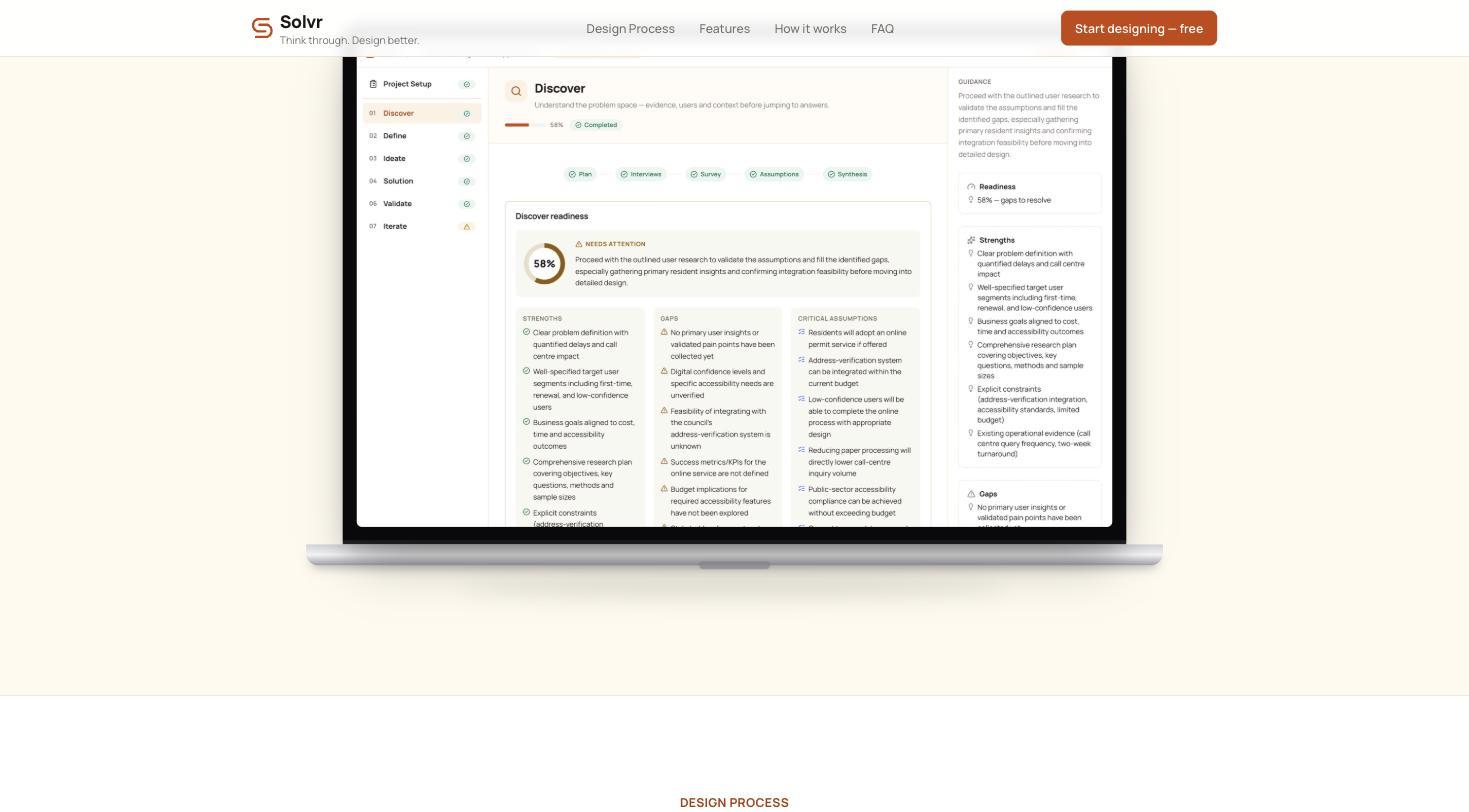
A stage in progress — readiness score, strengths, gaps and critical assumptions side by side.
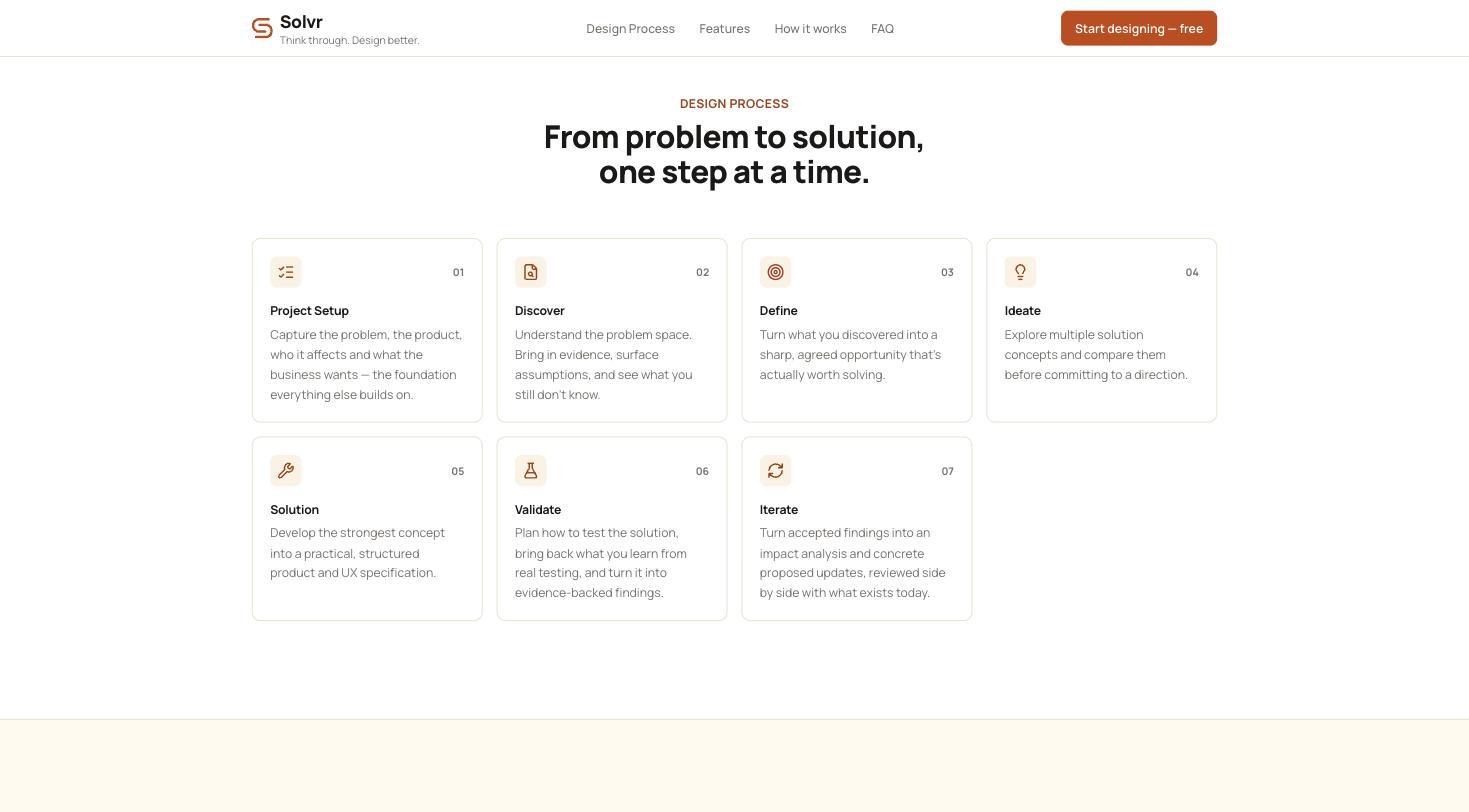
The seven stages that structure every project, from Project Setup through to Iterate.
Design System Thinking
This project wasn't designed as a one-off — here's how it connects back to the system.
Components
A shared stage-card component (status, readiness percentage, gaps list) reused identically across all seven stages of the process.
Tokens
A consistent readiness colour scale — needs attention, on track, complete — applied across stage cards, the guidance panel and generated outputs.
Patterns
A three-column working pattern — content, AI guidance, readiness — repeated at every stage, so the interaction model stays constant as a project deepens.
Governance
All project data stays local to the browser in V1, so a product problem never leaves the device before it becomes a validated design.
Impact
Solvr shipped as a structured alternative to single-prompt AI design generators, giving anyone working through a product problem a process that names what it doesn't know yet instead of quietly skipping over it.
Reflection
The easiest version of this product would have been a single well-crafted prompt. Resisting that — and building seven stages with their own readiness logic instead — was the harder, slower path, but it's the reason the tool argues back instead of just agreeing with the first idea typed into it.