
MS Add-on — Document Creation
A Microsoft Word add-on that lets legal teams generate complex contractual documents through guided, permission-based data merges — no Mail Merge code required.
Context
Legal and business-processing professionals at law firms were already using Microsoft Word's built-in mail merge to generate documents, but the underlying Velocity code was a serious barrier for anyone without technical training. HighQ set out to build a Word add-on that gave legal teams the same document-generation power — live database sync, conditional logic, permission-based data — without requiring anyone to write or read code.
The Challenge
Despite mail merge already existing, users struggled with time-consuming processes, an interface not built for legal workflows, and the difficulty of merging varied data sets without technical skill. The add-on had to work within Word's existing architecture, integrate with multiple database types and configurations, and be learnable without extensive training — while still supporting loops, nested conditions and permission-based data access.
Research
Went into law firms directly to observe how legal and business-processing staff actually generated documents day to day, then validated the add-on's design against 8 users pulled from the same interview pool, so testers already understood the domain.
Insights
The key findings that shaped the direction.
The barrier was the code, not the concept
95% of users struggled with learning Mail Merge's underlying Velocity code — the idea of merged documents wasn't the problem, the syntax required to produce them was.
Integration mattered more than features
70% of participants wanted a solution that fit into their existing workflow without extensive training, ranking that above any specific new capability the add-on could offer.
A guided interface beat a powerful one, immediately
90% of users found the new prototype more intuitive than their existing methods in first testing — validating that structured UI, not raw feature count, was what actually reduced errors.
Design Strategy
How decisions were made.
Follow the 5D process end to end
Moved through Discover, Define, Design, Develop and Deploy & Measure — from stakeholder interviews and task analysis through sketches and prototypes to a documented pattern library and style guide.
Put database logic behind a visual interface
Represented live iSheet database columns, images, conditions and loops as ribbon commands and inline document tags, so users manipulated data structure without touching a formula or script.
Colour-code every merge element
Gave conditions, loops and inserted images distinct, consistent tag colours directly inside the Word document, so a user could read a template's logic at a glance instead of tracing code.
Build validation and preview into the flow
Added live document previews and validation checks during document generation, catching data or permission errors before a legal document was finalised, not after.
Solution
A Word ribbon add-on that lets legal teams insert live database content, conditional logic and loops into a document through guided dialogs, with permission-based access and live preview built in.
A look at the work.
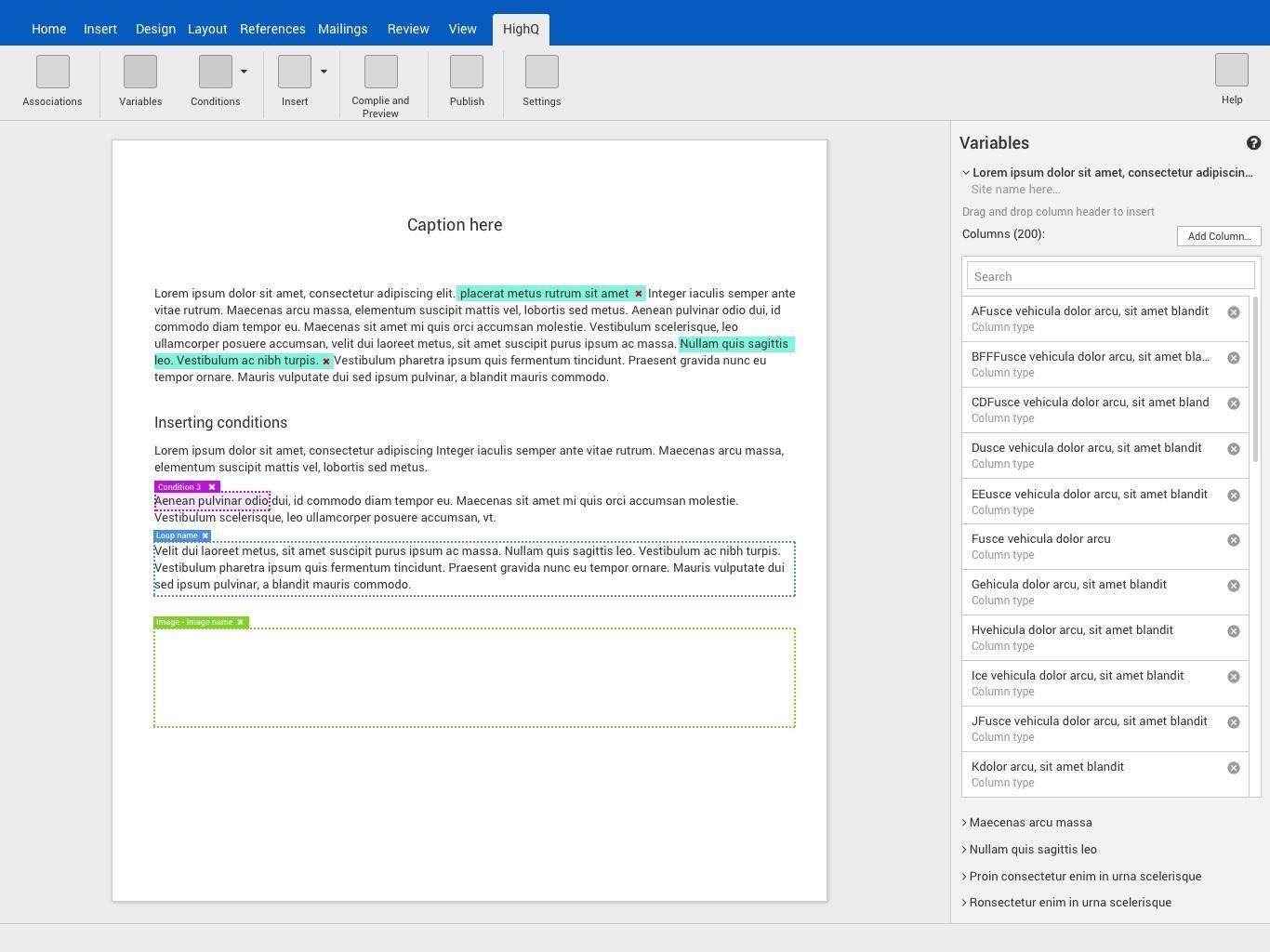
Conditions and loops as inline, colour-coded tags — no Velocity code visible to the user.
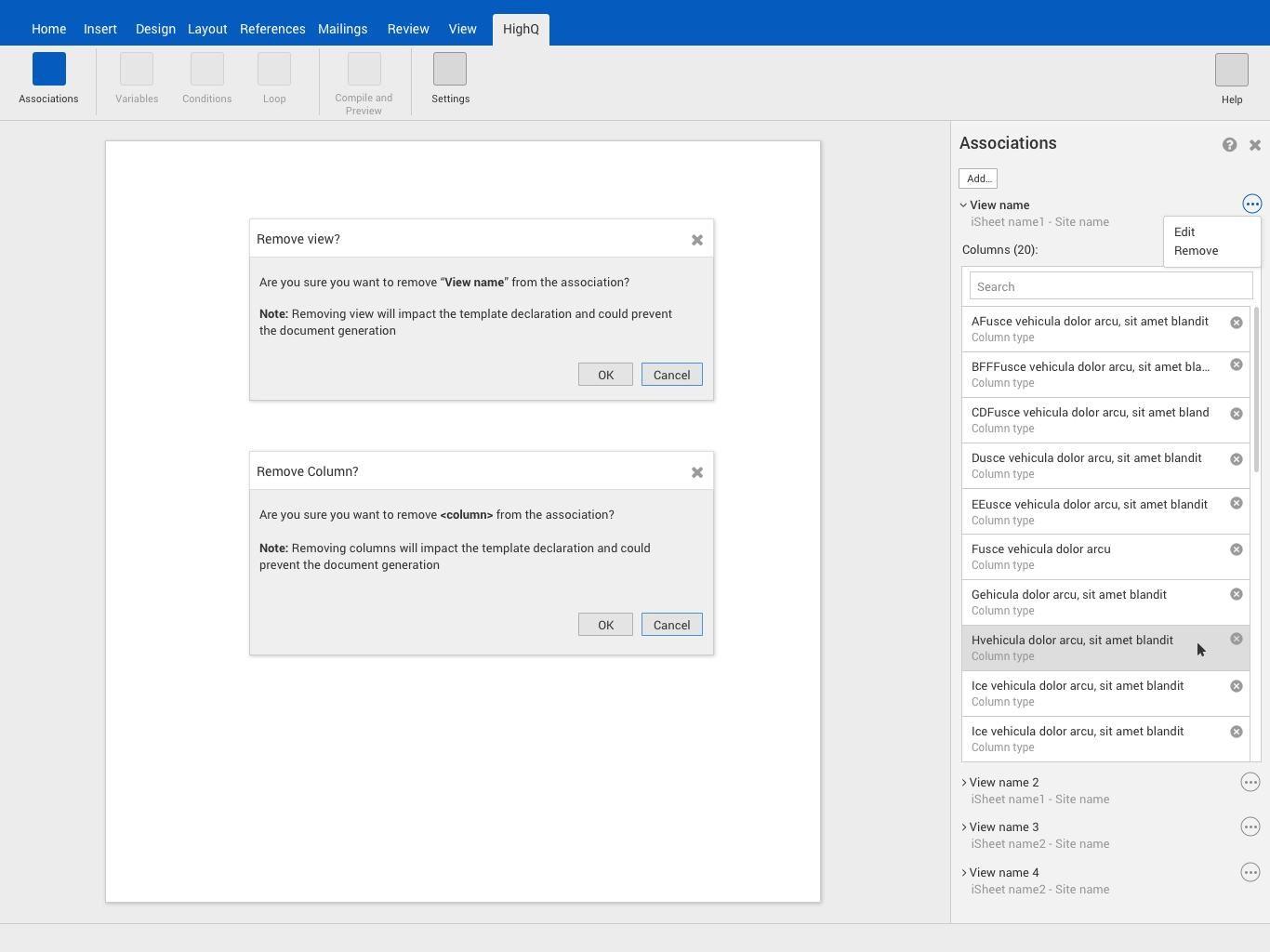
The Associations panel, linking document views to specific databases with column-level permissions.
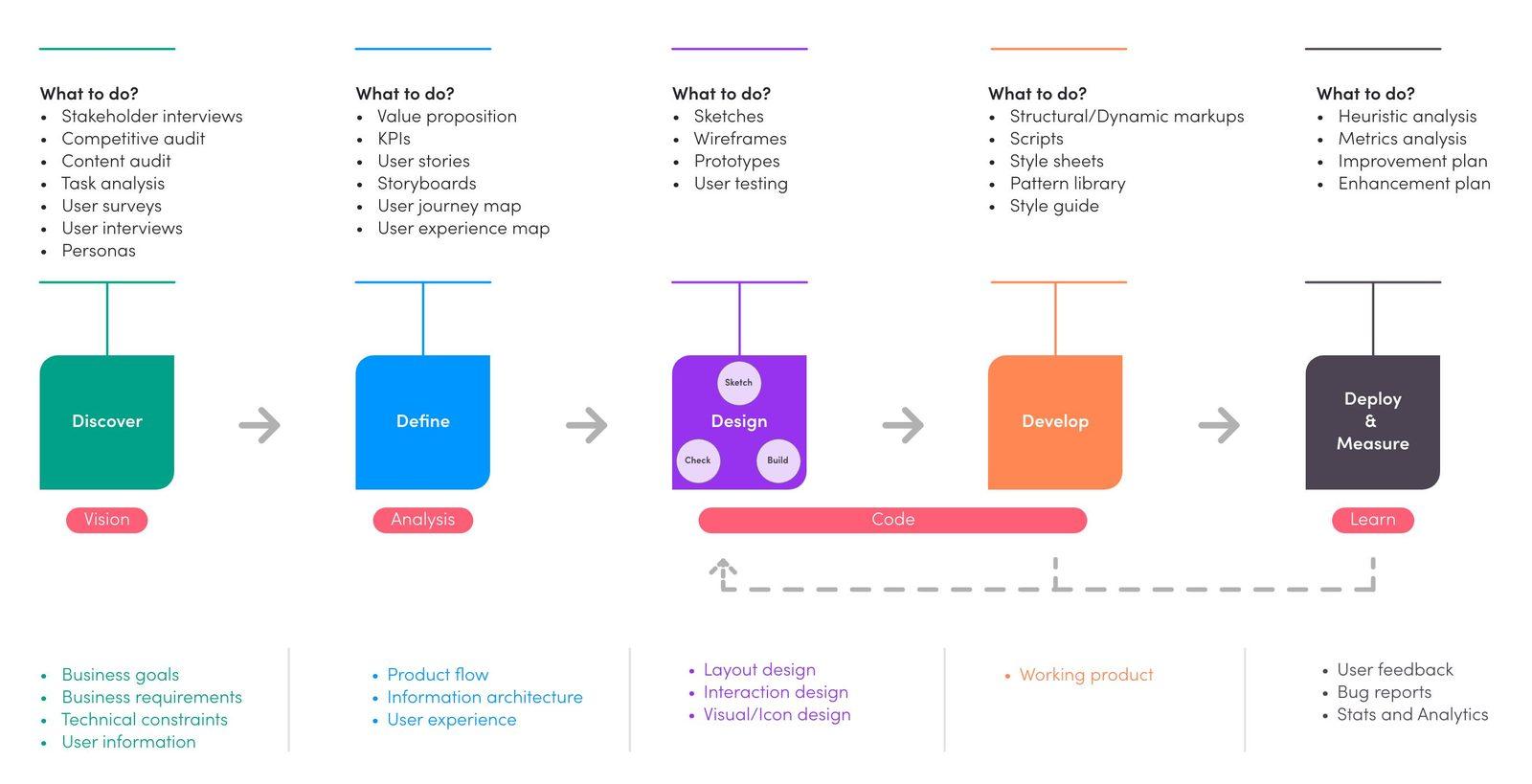
The 5D process used to take the add-on from discovery through to a measured launch.
Design System Thinking
This project wasn't designed as a one-off — here's how it connects back to the system.
Components
A consistent set of ribbon dialogs — Insert Image, Variables, Conditions, Loop — reused across every part of the document-building flow.
Tokens
A fixed colour language for in-document tags — distinct colours for conditions, loops and image placeholders — so template logic stayed legible at a glance.
Patterns
A drag-and-drop pattern for inserting database columns directly into document text, replacing manually typed merge codes.
Governance
Permission-based data access built into the Associations panel, ensuring confidentiality and compliance were enforced by the tool, not left to user discipline.
Impact
The add-on shipped to increased user adoption and high satisfaction ratings, with active client engagement driving new feature requests and new business opportunities for HighQ — replacing a workflow 95% of users had struggled to learn with one 90% found more intuitive on first use.
Reflection
Prototype testing came back more positive than expected, which validated the core design assumptions early — but a narrower set of user segments took part in the interviews than I'd have liked, and I'd extend the research to cover longer-term usage, not just first-use impressions, if I ran this again.